The short version: Since July 21, 2026, the minimum for Minecraft Java is a 64-bit OS, a 4-core CPU, 8 GB of RAM (12 GB with integrated graphics) and a Vulkan 1.3 GPU with 2 GB of VRAM, targeting 1080p at 30 FPS on the Fast preset. Below-spec PCs still launch today, but Mojang no longer guarantees performance and warns older hardware may stop working as Java moves from OpenGL to Vulkan.
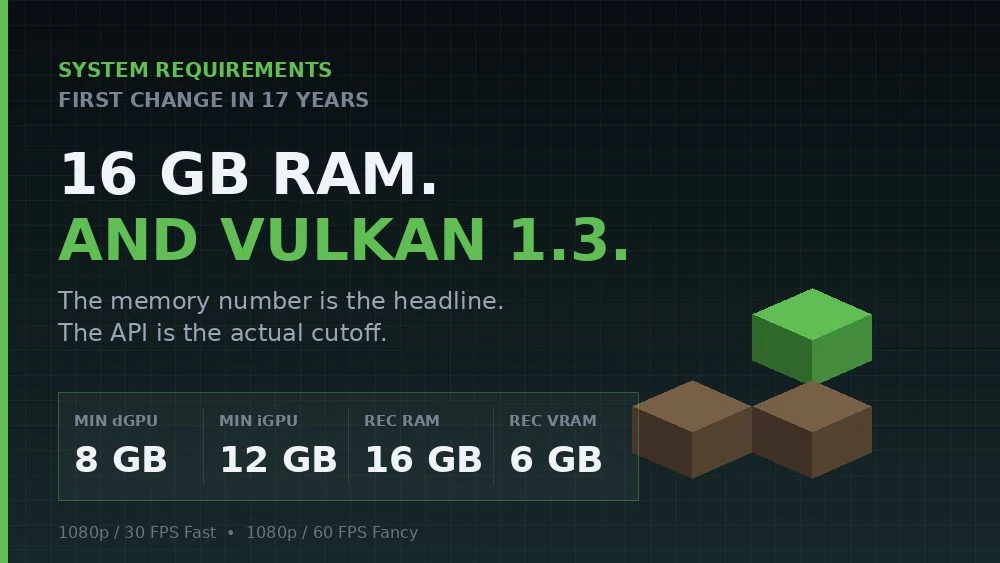
- 8 GBMinimum RAM (12 GB with integrated graphics)
- Vulkan 1.3Required GPU API
- 16 GBRecommended RAM
- 17 yrsSince the last real change
Minecraft Java system requirements (2026)
| Minimum (1080p / 30 FPS, Fast) | Recommended (1080p / 60 FPS, Fancy) | |
|---|---|---|
| OS | Windows 10 64-bit, Windows on ARM, macOS 12+, 64-bit Linux | Same |
| CPU | 4 cores: Intel Core i3-10100, Ryzen 3 3100, Snapdragon X or Apple M1 | Intel Core i5-12400, Ryzen 5 5600 or Apple M2 Pro |
| RAM | 8 GB with a dedicated GPU, 12 GB with integrated graphics | 16 GB |
| GPU | Vulkan 1.3, 2 GB VRAM: GTX 950, RX 460, Arc A310, or the iGPU of an Intel i5-6400 or newer | 6 GB VRAM: RTX 2060, RX 5600 XT, Arc A580 or Apple M2 Pro |
The old page, which promised Minecraft on a Core i3-3210 with 2 GB of RAM and Intel HD 4000 graphics, is gone.
What if my PC is below the minimum?
Mojang says Java Edition should still launch, but performance and visuals are no longer guaranteed, and future versions may struggle or fail to launch as it drops OpenGL. Older integrated graphics and older Intel Macs are the most at risk. If you’re stuck, older versions stay available in the launcher.
The Vulkan switch
- July 21, 2026: the new requirements are published. Vulkan is still experimental and OpenGL is the default.
- September 22, 2026: in 26.4 Snapshot 1, the “Default” graphics API setting now behaves like “Prefer Vulkan”. The game also stops switching APIs automatically after a startup crash.
To check which renderer you’re on, press F3 and look at the renderer line. You can switch back under Options → Video → Graphics API if Vulkan gives you trouble.
RAM: total vs allocated
The 8 GB figure is your PC’s total memory, not what you give Minecraft. Don’t raise the launcher’s memory allocation (-Xmx) to everything you have. Too much can cause stutters. Modpacks and shaders need more, so measure before you change it.